Why Is My Shopify Store Getting Traffic But No Sales? (The Ultimate Fix)
 Updated: Apr 9, 2026 ⏱ 6 Min Read
Introduction: The Frustration of Zero Orders introduction
“Why is my Shopify store getting traffic but no sales?
💡 Key Takeaways
- Introduction: The Frustration of Zero Orders introduction
- 1. The Traffic vs. Sales Gap: Identifying the Real Problem traffic-vs-sales
- 2. Data Disconnect: Shopify Analytics vs. GA4 “shopify-vs-ga4
- 3. The E-commerce Conversion Funnel (Traffic vs. Sales) conversion-funnel
This is not just a passing question; this is the biggest frustration point for almost every growing Shopify store owner.
Need a High-Converting Strategy?
Our expert developers at PG Digital build systems that sell.
Imagine this: You are running expensive Facebook and Google ads. Your dashboard shows traffic is pouring in, and your analytics numbers are growing. But when you check your revenue… Orders = 0. That clearly means there is a massive gap between your traffic and your sales. In this blog, we will decode that exact gap using data, consumer psychology, and proven strategies.
This is the stage where smart business owners realize that they don’t just need traffic; they need a high-converting funnel. And this is exactly the kind of problem experts at PG Digital Solution solve every day by building conversion-focused Shopify stores that actually make money.
1. The Traffic vs. Sales Gap: Identifying the Real Problem traffic-vs-sales
First, we need to accept one hard truth:
Traffic does not equal success. Conversions equal success.
Many store owners look at their Shopify dashboard and think, “I got 1,000 visitors, but no sales happened. My ads must be bad.” But the real question you should be asking is: What were those 1,000 people doing?
- Did they view the product?
- Did they add it to their cart?
- Did they reach the checkout page?
If they are clicking your ads but not buying, then traffic isn’t your problem—your conversion journey is broken.
2. Data Disconnect: Shopify Analytics vs. GA4 “shopify-vs-ga4
One of the biggest mistakes store owners make is relying on mismatched data. There is often a huge gap between what Shopify Analytics shows and what Google Analytics 4 (GA4) reports.
Why Does This Disconnect Happen?
- Tracking differences & Cookie restrictions (iOS updates block tracking).
- User behavior mismatches (e.g., a user opening your site on a laptop, then buying on mobile).
- Events not tracking properly (Add to Cart or Initiate Checkout pixels failing).
Example: Shopify might show 100 sessions, while GA4 only shows 70 unique users. If you optimize your store based on the wrong data, your entire marketing system will fail.
The Fix: Proper Tracking Setup
You must ensure that GA4 and your Meta/Google Pixels are correctly installed via Google Tag Manager (GTM). Every step must be tracked: View Content -> Add to Cart -> Initiate Checkout -> Purchase.
(Pro Tip: This is a highly technical area. Many leading brands outsource their analytics and tracking setup to agencies like PG Digital Solution to ensure 100% data accuracy.)
3. The E-commerce Conversion Funnel (Traffic vs. Sales) conversion-funnel
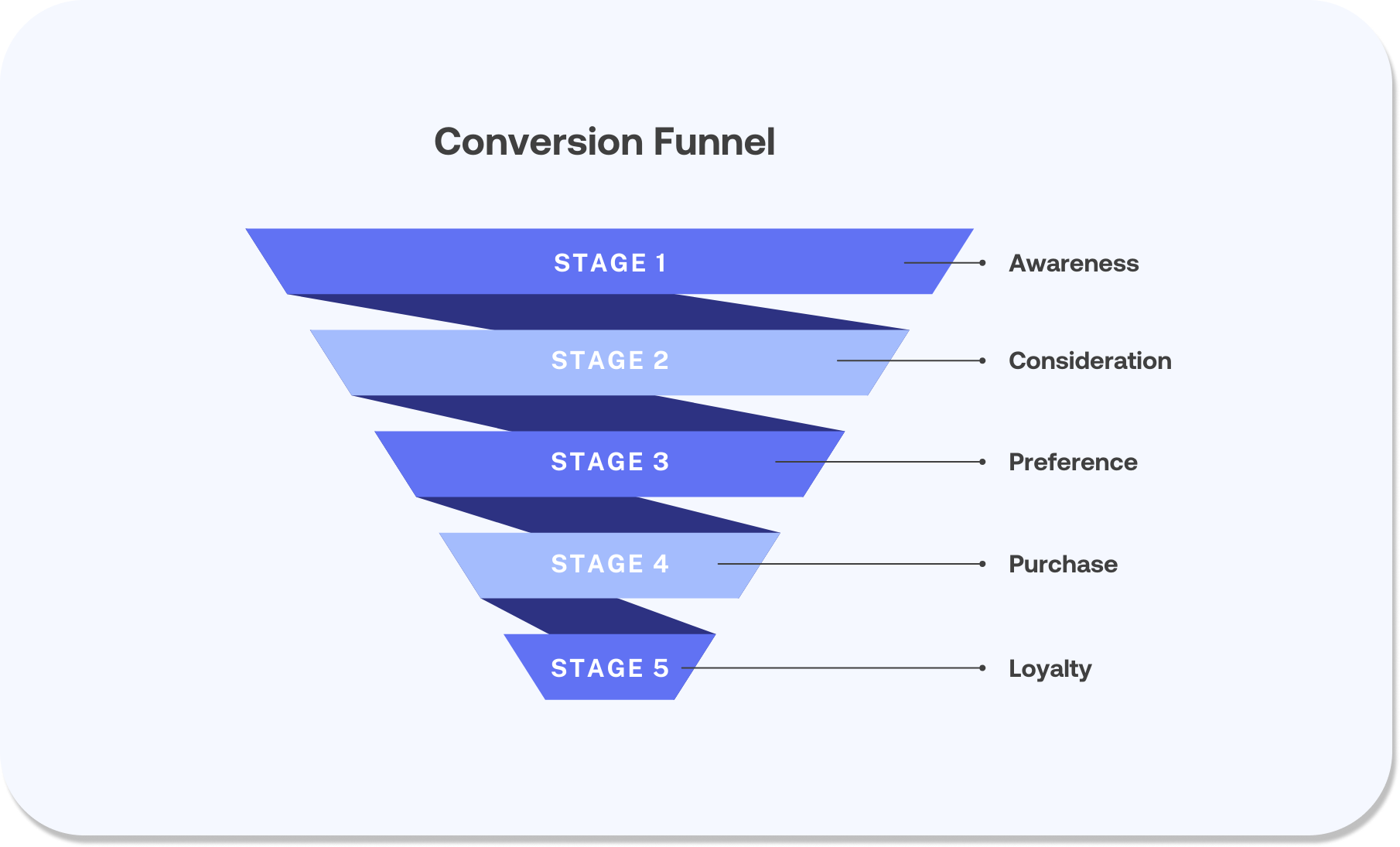
To find out exactly where you are losing money, look at this typical Shopify drop-off funnel:
| Stage | Users Remaining | The Problem | What It Means |
| Visitors | 1000 | High Traffic | Good ad awareness, but zero commitment yet. |
| Product View | 600 | 40% Drop | Low interest in the actual product offering. |
| Add to Cart | 150 | Huge Drop | Trust, pricing, or perceived value issue. |
| Checkout | 50 | Drop Again | Friction in the checkout process (hidden fees). |
| Purchase | 10 | Low Conversion | The entire funnel needs serious optimization. |
This table clearly proves one thing: You don’t need more traffic; you need to plug the leaks in your funnel.
4. Why Do Visitors Leave Immediately After Landing? why-visitors-leave
You finally got them to click your ad, but they leave your product page in seconds. Why?
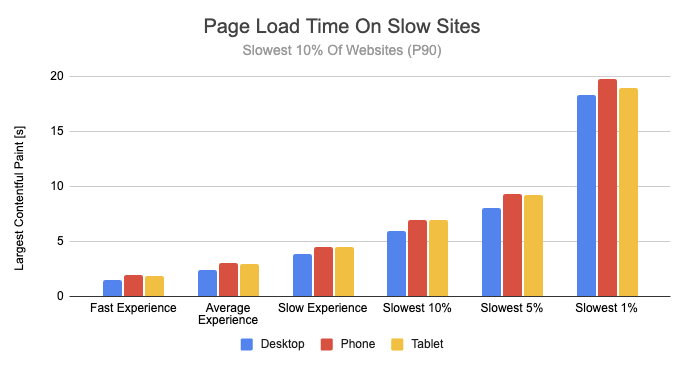
Users decide whether to stay or leave within 3 to 5 seconds. If they bounce, it is usually because of:
- Extremely slow page loading speed.
- A cluttered, unprofessional design.
- Unclear product benefits (features instead of solutions).
- An unappealing or confusing offer.
How to Fix It
Your first impression must be flawless.
- Fast Loading: Compress images and remove heavy apps.
- Clear Headline: Speak directly to the customer’s pain point. (e.g., Change “Premium Knee Brace” to “Get Instant Relief From Knee Pain in 7 Days”).
- High-Quality Visuals: Use lifestyle images and GIFs.
A high-converting product page isn’t just about pretty design—it is a mix of copywriting, UX, and psychology.
5. Reasons for High Abandoned Cart Rates in E-commerce abandoned-carts
Getting a customer to add a product to their cart is a huge win. Losing them at checkout is a direct revenue loss.
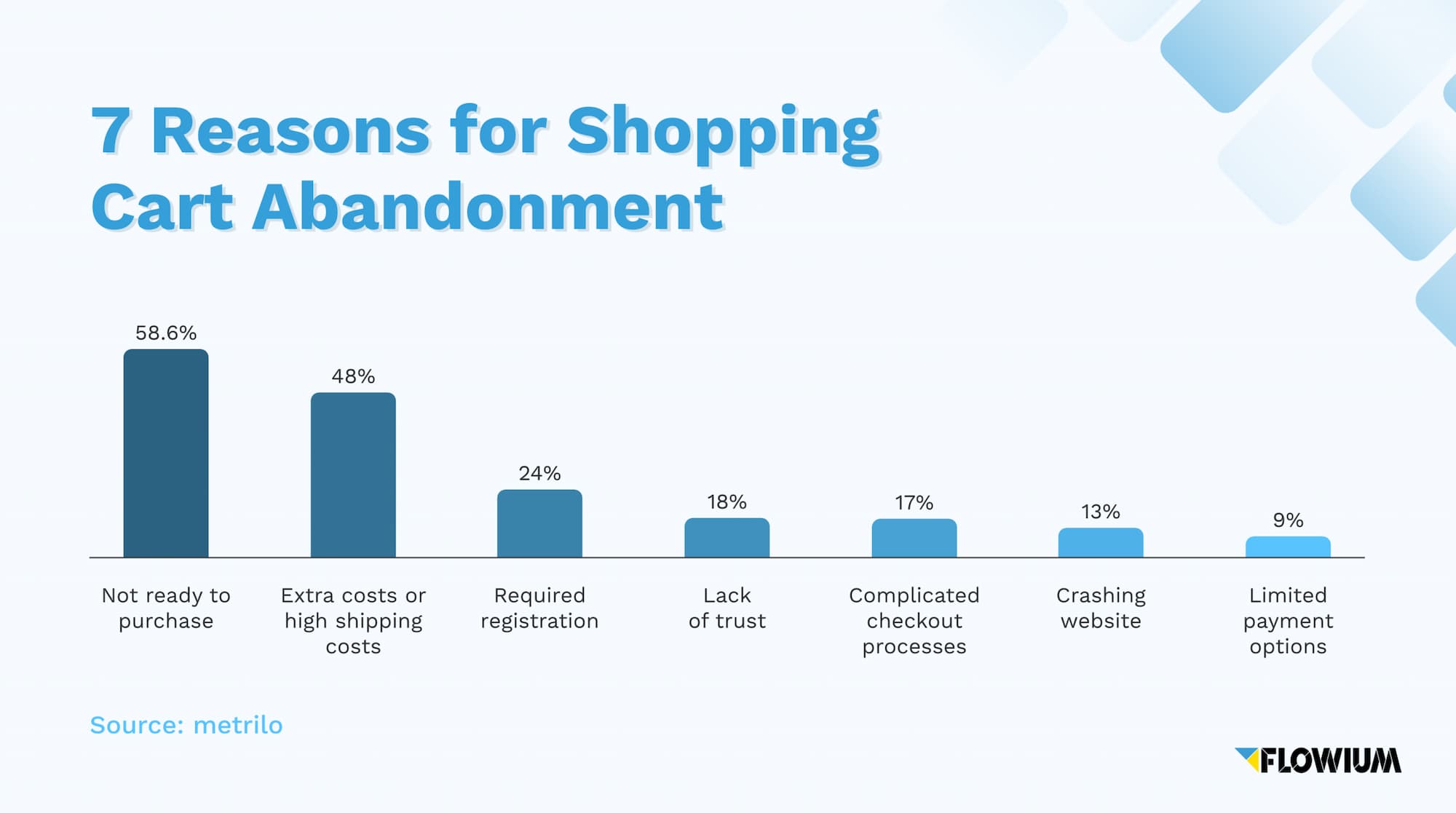
Why Shoppers Abandon Carts:
- Hidden Delivery Charges: Seeing an unexpected ₹100 shipping fee at the end kills conversions.
- Complicated Checkout: Asking for too much information or forcing account creation.
- No Cash on Delivery (COD): In markets like India, a lack of COD destroys trust.
- Slow Payment Gateways: Glitchy or untrustworthy payment pages.
The Fix:
- Use a one-page, simplified checkout.
- Enable COD (and use an OTP verification app to reduce RTO).
- Show the total pricing (including taxes and shipping) upfront on the product page.
- Set up Automated Recovery: Use WhatsApp reminders and Email sequences to bring back lost carts.
6. How to Fix Low Conversion Rates on Shopify (A Real Strategy) fix-conversion-rates
So, how do we actually fix this? It requires an integrated strategy.
Step 1: Product Page Optimization
Stop selling features; start selling benefits. Use emotional copywriting. If you sell skincare, don’t sell “Vitamin C”—sell “Glowing skin for your next party.”
Step 2: Build Iron-Clad Trust
People don’t buy from stores they don’t trust. Add real photo reviews, video testimonials, a clear 7-day return policy, and trusted payment badges (Razorpay, UPI, Stripe).
Step 3: Irresistible Offers
Give them a reason to buy today. Use volume discounts (Buy 2 Get 1 Free), bundle offers, or a free shipping threshold (Free Shipping on orders above ₹999).
Step 4: Retargeting Your Traffic
Did you know that 95% of users do not buy on their first visit? If you are not retargeting, you are burning ad spend.
- Launch Facebook & Instagram Retargeting Ads.
- Use Google Display Ads to “follow” them around the internet.
- Show them exactly the product they left in their cart, combined with a 10% discount code.
7. Measuring & Monitoring Improvements Over Time measuring-improvements
Optimization is not a one-time task; it is an ongoing process. To ensure your store stays profitable, you need to monitor these metrics weekly:
- Overall Conversion Rate (Aim for 2-3%+)
- Add-to-Cart Rate (Aim for 8-10%+)
- Bounce Rate (Keep it under 60%)
- Checkout Completion Rate
Track, analyze, make a small change, and test again.
8. Turning Traffic Into Revenue: The Final Goal traffic-to-revenue
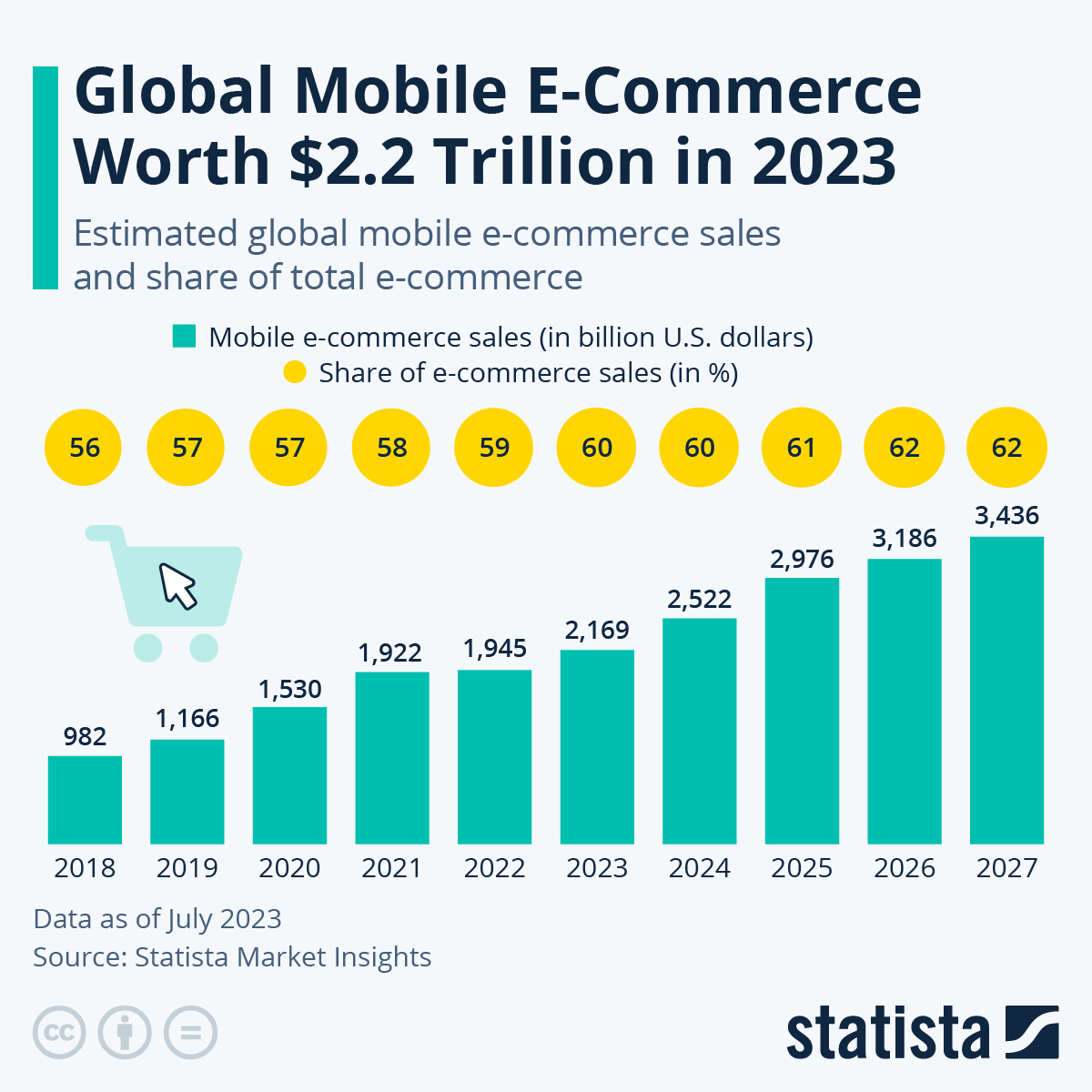
The ultimate goal of running an e-commerce business is not page views; it is revenue.
This only happens when the right audience meets a strong product page, flows into a smooth checkout, and is backed up by a solid retargeting system. When all these elements align perfectly, you permanently solve the problem of getting traffic but no sales.
Conclusion: Stop Chasing Traffic, Start Fixing Conversions conclusion
If you are still asking, “Why is my Shopify store getting traffic but no sales?” you now know the truth.
The problem isn’t your traffic. The problem is your system.
Most Shopify stores don’t fail because of a lack of visitors. They fail because they lack a clear conversion funnel, strong trust-building elements, proper data tracking, and a working retargeting system.
If you don’t want to waste months figuring this out through expensive trial and error, the smarter move is to adopt a structured, data-driven approach. This is the exact philosophy we use at PG Digital Solution: Stop Guessing. Start Scaling. We focus on building a complete, automated sales-generating ecosystem that turns clicks into loyal customers.